Lesson 7 of 12 · about 60 minutes · Updated November 14, 2026
Data Protection: Classification, Encryption, Retention and Backups
You'll be able to
- Build a data inventory and a four-level classification scheme with handling rules people can follow
- Explain what each layer of encryption at rest and in transit stops, and what FIPS 140-3 validation and key management add
- Describe the federal post-quantum timeline and the first steps a large organization should take now
- Set up a retention schedule, a legal hold process and secure disposal that meet NIST SP 800-88 Rev. 2
- Design backups that survive ransomware and prove recovery objectives with restore tests
- Find the public records that show whether an organization protected, kept and disposed of data properly
Start here: the short version
- You cannot protect data you have not found. Every serious program starts with a data inventory and a classification scheme that tells staff, in plain words, how each kind of data must be stored, sent, shared, kept and destroyed. Breaches are expensive: IBM's 2025 Cost of a Data Breach study put the average United States breach at a record $10.22 million.1
- Encryption turns a lost laptop into a non-event and a stolen database into noise, but only if it is on, uses validated modules, and the keys are kept apart from the data. Key management is where most programs are weakest.
- Ransomware changed what backups are for. Verizon's 2025 Data Breach Investigations Report found ransomware in 44 percent of breaches.2 Federal agencies warn that "many ransomware variants attempt to find and subsequently delete or encrypt accessible backups."3 Keep at least one copy offline or immutable, protect the backup system with its own sign-in, and test restores.
- Recovery time and recovery point objectives (how long a system can be down, and how much data you can afford to lose) should be set by the business owners, written down, and proven by restore tests.4 New York's financial regulator requires those tests at least once a year.5
- Keeping data forever is a liability, not a safe choice. A written retention schedule, a working legal hold process and secure disposal under NIST SP 800-88 Rev. 2 (September 2025) reduce what a criminal can steal and what a court can demand.6
- The post-quantum clock is now official. NIST's final IR 8547 (Oct. 27, 2026) says today's public-key algorithms will be deprecated after 2030 and disallowed after 2035.7 Large organizations should start a cryptographic inventory now.
- Disposal failures make headlines. The SEC fined Morgan Stanley Smith Barney $35 million in 2022 after decommissioned drives holding data on about 15 million customers were resold online.8
Rule versions and reports described: NIST Cybersecurity Framework 2.0 (Feb. 26, 2024); NIST SP 800-88 Rev. 2, Guidelines for Media Sanitization (Sept. 2025); NIST SP 800-57 Part 1 Rev. 5 (May 2020); NIST SP 800-52 Rev. 2 (Aug. 2019, under review as of May 2026); NIST SP 800-34 Rev. 1 (May 2010, updated Nov. 2010); NIST SP 800-111 (Nov. 2007); FIPS 140-3 (2019) and the CMVP's FIPS 140-2 transition date of Sept. 21, 2026; FIPS 199 (Feb. 2004); FIPS 203, 204 and 205 (Aug. 13, 2024); NIST IR 8547, final (Oct. 27, 2026); Executive Order 14412 (June 22, 2026) and OMB M-26-15 (June 24, 2026); FTC Safeguards Rule, 16 CFR 314.4 (eCFR current to Oct. 23, 2026); FTC Disposal Rule, 16 CFR Part 682; HIPAA Security Rule, 45 CFR 164.308 and 164.312, and the proposed Security Rule update of Jan. 6, 2025 (still a proposal as of Nov. 13, 2026); 23 NYCRR Part 500 as amended Nov. 1, 2023, including the Nov. 1, 2025 phase; PCI DSS v4.0.1 (June 2024); Federal Rule of Civil Procedure 37(e) (as amended Dec. 1, 2015); CISA, NSA, FBI and MS-ISAC #StopRansomware Guide (May 2023); Idaho Code 28-51-104 and 28-51-105 and Idaho Code 50-907, as amended through the 2026 session; Idaho Technology Authority Policy P4130, Information Systems Classification (revised July 11, 2023). Report figures come from IBM's 2025 Cost of a Data Breach study, Verizon's 2025 DBIR and the FBI's 2025 Internet Crime Report, each labeled by year. All were read or checked Nov. 13, 2026. Rules change; check the regulator's current text before relying on any point.
Before you change anything. Plan changes to production systems, test them first, keep a way back, and follow your change management process. For clinical, plant-floor or other safety systems, involve the vendor, your safety lead and qualified engineers (see modules 109 and 111).
On a Monday morning the help desk at a regional hospital system gets the first call: a nurse cannot open the medication schedule. By ten o'clock the file servers show strange file names, the electronic health record is slow, and the backup console, the one place everyone expects to be safe, will not accept the administrator's password. Someone changed it on Saturday night. The backup jobs for the past two weeks were quietly deleted. The copies on tape in the vault are from six weeks ago, and nobody has restored that tape set since it was bought.
That story is a composite, but every piece of it appears in real incident reports and government advisories. It is why this lesson exists. Data protection in a large or regulated organization is not one product. It is a set of plain disciplines: know what data you hold and where, label it so people know the rules, encrypt it so theft does not equal exposure, manage the keys as carefully as the data, keep only what you need for as long as the law and the business require, destroy the rest properly, and keep copies that a criminal cannot reach and that you have proven you can restore.
This lesson is written for the executives and board members who approve the budgets and accept the risk, the general counsel's office and records managers who own retention and legal holds, compliance officers who answer to regulators, CISOs and IT staff who build the controls, auditors who test them, procurement staff who buy backup and encryption services, and the reporters, advocates and public officials who ask whether an agency or company did enough. It goes further than the small and medium business versions of these topics on this site. For the basics, see Records Retention, Legal Holds and Workplace Privacy and Continuity, Recovery and Cyber Insurance in module 73, and Computers, Local Data and Backups in module 72. This lesson does not repeat them; it covers the same ground at the scale of thousands of systems, many regulators and petabytes of data.
Inside this module, the risk method behind every choice here is in lesson 2, Risk Management in Plain Terms; the frameworks that set the controls are in lesson 3, The Standards Map; who may reach the data is in lesson 5, Identity and Access; network and cloud controls are in lesson 6; vendors who hold your data are in lesson 8; incident response is in lesson 10; and what to do when data is exposed is in lesson 11, Breach Notification. Sector versions live in the sister modules: the HIPAA encryption and contingency plan rules in module 109, lesson 3, client data and e-discovery for professional firms in module 110, lesson 2, and plant-floor backups in module 111, lesson 5.


Why data protection is different at scale
A small business may have a dozen laptops, one accounting system and a cloud file share. A hospital system, a bank, a state agency or a manufacturer with 5,000 employees has hundreds of applications, several data centers or cloud tenants, thousands of software-as-a-service accounts, years of email, data warehouses fed by dozens of systems, copies made for testing and analytics, and vendors who hold their own copies. Each copy is a place where data can leak, be encrypted by a criminal, be demanded in a lawsuit, or be kept long after anyone needs it.
The three jobs of data protection
Security people talk about the "CIA triad": confidentiality, integrity and availability. In plain terms:
- Confidentiality means only the right people can read the data. Classification, access control, encryption, tokenization and data loss prevention serve this job.
- Integrity means the data has not been changed without authority. Hashes, digital signatures, change logs, immutable backups and restore verification serve this job.
- Availability means the data is there when the business needs it. Backups, replication, recovery plans and restore tests serve this job.
The NIST Cybersecurity Framework 2.0 (Feb. 26, 2024) spells these out in its Data Security category. Its outcomes include "The confidentiality, integrity, and availability of data-at-rest are protected" (PR.DS-01), the same for data in transit (PR.DS-02) and data in use (PR.DS-10), and "Backups of data are created, protected, maintained, and tested" (PR.DS-11). Its Identify function adds "Inventories of data and corresponding metadata for designated data types are maintained" (ID.AM-07), and its Recover function adds "The integrity of backups and other restoration assets is verified before using them for restoration" (RC.RP-03).9 Those six short sentences are a fair outline of this whole lesson.
Double extortion changed the math
For years the ransomware answer was simple: if you have good backups, you can restore and refuse to pay. Criminal groups adapted. Most now steal a copy of the data before they encrypt anything, then threaten to publish it if the victim does not pay. That tactic is called double extortion. Backups restore availability, but they do nothing about the stolen copy. So a modern data protection program needs both halves: backups that survive an attack, and confidentiality controls (minimization, encryption, tokenization, monitoring for large outbound transfers) that limit what a thief can take and use.
The numbers show why both halves matter. In its 2025 report, Verizon found ransomware present in 44 percent of the breaches it reviewed, a 37 percent increase from the prior year, with a median ransom paid of $115,000 and 64 percent of victims not paying.2 IBM's 2025 study, run by the Ponemon Institute, put the global average cost of a breach at $4.44 million (the first decline in five years) while the United States average reached a record $10.22 million; health care was the costliest industry at $7.42 million; and 63 percent of organizations hit by extortion chose not to pay, up from 59 percent.1 The FBI's Internet Crime Complaint Center received more than 3,600 ransomware complaints in 2025, and it notes that its numbers reflect only what victims choose to report.10
The largest health data breach ever reported to federal regulators shows the scale problem. The February 2024 ransomware attack on Change Healthcare, a claims clearinghouse, affected about 192.7 million people according to the HHS Office for Civil Rights as of July 31, 2025.11 One company held data for a large share of the country. When a single system holds that much, its encryption, retention and recovery choices become public matters.
Who owns what
Large programs fail most often on ownership, not technology. Three roles keep it straight:
- Data owner: a business executive (the chief financial officer for the general ledger, the chief nursing officer for clinical documentation, the human resources director for personnel files) who decides who may use the data, how it is classified, how long it is kept, and what recovery time the business needs. Owners accept the residual risk; IT does not.
- Data steward: the person who manages quality and definitions day to day, often in the business unit or a data governance office.
- Data custodian: IT, the cloud provider or a vendor that stores, backs up and protects the data under the owner's rules.
The records manager (or chief records officer) owns the retention schedule. The general counsel's office owns legal holds. The CISO owns the security standards and the evidence that they work. The board, as described in lesson 4, should see whether all of this is happening.
Know what you have: the data inventory
The single most common finding after a large breach is some version of "we did not know that data was there." An old export on a file share, a test database built from production, a mailbox full of spreadsheets, a cloud storage bucket set up for a project that ended. You cannot classify, encrypt, retain or back up what you have not found.
What the rules say about inventories
Inventory duties now appear in several rules, not just in frameworks:
- The FTC Safeguards Rule, which covers non-bank financial institutions such as mortgage brokers, auto dealers that finance, tax preparers and many fintech firms, requires them to "Identify and manage the data, personnel, devices, systems, and facilities that enable you to achieve business purposes" in line with their importance to business objectives and risk strategy (16 CFR 314.4(c)(2), eCFR current to Oct. 23, 2026).12
- New York's Department of Financial Services rule, 23 NYCRR Part 500 as amended Nov. 1, 2023, requires covered banks, insurers and other licensees to keep a written asset inventory with owners, locations, classification and recovery time objectives (500.13), with the full inventory requirement in force from Nov. 1, 2025, and to encrypt nonpublic information in transit over external networks and at rest, or use compensating controls approved in writing by the CISO (500.15).13
- The HIPAA Security Rule proposal published Jan. 6, 2025 would require a written technology asset inventory and a network map showing how electronic protected health information moves through the organization, reviewed at least every 12 months. As of Nov. 14, 2026 it remains a proposal; the federal regulatory agenda lists it as a long-term action with final action projected for July 2027.14
- CSF 2.0's ID.AM-07 asks for inventories of data and metadata for designated data types, which is the federal government's way of saying "start with the sensitive categories."9
Building the inventory at scale
Nobody inventories petabytes by hand. Large organizations usually combine four methods:
- Start from systems, not files. List every application and data store (from the configuration management database, cloud account listings, the software-as-a-service sign-in logs and procurement records). For each, record the owner, the data types, the location (including country, for cloud), the vendor, and whether it holds regulated data such as protected health information, cardholder data, Social Security numbers, controlled unclassified information or student records.
- Interview owners. A 30-minute structured interview with each business owner finds the shadow copies: the monthly extract emailed to the finance team, the analytics sandbox, the vendor upload portal.
- Scan. Data discovery tools search file shares, databases, cloud storage and email for patterns (account numbers, Social Security numbers, medical record numbers). They produce false positives, so treat their output as leads to confirm, not facts.
- Map flows. For each high-value data type, draw where it comes in, where it is stored, who it is shared with and where it leaves. That map is what a regulator, an auditor or a breach investigator will ask for first.
Keep the inventory in a system of record (a governance tool, the configuration database or even a well-controlled spreadsheet), assign an owner to each entry, and re-confirm it at least once a year and whenever a major system is added or retired. The privacy side of the same inventory, including privacy impact assessments, is in lesson 12.
Shadow data and the copies nobody counts
The data that hurts most is often a copy. Common sources in large organizations:
- Test and development environments loaded with real production data instead of masked or synthetic data.
- Reports and extracts saved to personal drives or shared folders.
- Collaboration tools (chat, shared notebooks, ticketing systems) where staff paste records to get help.
- Generative AI tools where staff paste documents to summarize them. IBM's 2025 study found organizations with high levels of "shadow AI" (AI tools used without approval) paid an average of $670,000 more per breach than those with little or none.1
- Old backups and archives that outlived the retention schedule.
- Copies held by vendors and their subcontractors (see lesson 8).
Data classification
Classification is a short list of labels that tells everyone, from the newest clerk to the cloud architect, how a piece of data must be handled. It is the bridge between the inventory and every other control: encryption rules, sharing rules, retention periods, backup tiers and disposal methods all key off the label.
Classification levels that people can use
Federal agencies classify systems (not individual files) under FIPS 199 (February 2004), which rates the potential impact of a loss of confidentiality, integrity or availability as low, moderate or high.15 That impact rating then selects a baseline of controls, which is why federal contractors meet it so often (see lesson 3). Most private organizations use a parallel scheme of three to five labels for information itself. The Idaho Technology Authority's Policy P4130, Information Systems Classification, which applies to Idaho state agencies and points to ITA Guideline G505 for data labeling, is a good public example. It uses four levels:16
- Level 1, "Unrestricted": public information such as public websites and brochures.
- Level 2, "Limited": sensitive information that may be releasable but whose easy availability could put the privacy or security of employees or individuals at risk, such as internal audit reports, email and non-public phone numbers.
- Level 3, "Restricted": sensitive information intended for internal agency use, such as network diagrams, security plans and Social Security numbers.
- Level 4, "Critical": extremely sensitive information whose disclosure could cause major damage or injury, up to and including death, such as regulated information that carries significant penalties.
Government contractors also meet a separate federal scheme, Controlled Unclassified Information (CUI), created by Executive Order 13556 and set out in 32 CFR Part 2002 and the National Archives' CUI Registry. CUI has its own marking and handling rules, and it is what triggers NIST SP 800-171 and CMMC requirements in defense contracts.17
A practical private-sector scheme looks like the table below. The labels matter less than the handling rules beside them. If a label does not change what people do, it is decoration.
| Label | Examples | Storage | Sending | Sharing outside | Disposal |
|---|---|---|---|---|---|
| Public | Press releases, published reports, job postings | Any approved system | No limits | Allowed after approval to publish | Normal |
| Internal | Policies, org charts, most email, routine project files | Approved company systems only | Company email and file sharing | Need to know; nondisclosure terms for vendors | Recycle bins and normal deletion; media sanitized at end of life |
| Confidential | Customer and employee personal data, contracts, financial results before release, source code | Encrypted at rest; access by role; logged | Encrypted in transit (TLS 1.2 or later); no personal email | Written contract with security terms; minimum necessary | Secure shred bins; media purged or destroyed under SP 800-88 |
| Restricted | Social Security and account numbers, protected health information, cardholder data, CUI, credentials, encryption keys, merger plans | Encrypted with keys the organization controls; privileged access only; enhanced monitoring | Approved encrypted channels only; data loss prevention blocks other routes | Data owner approval; legal agreement such as a business associate agreement; tokenize or redact where possible | Purge or destroy with a certificate; logged chain of custody |
Making classification stick
Classification programs fail when they ask busy people to label every document by hand. Programs that work tend to share these habits:
- Default labels by system. Everything in the payroll system is Restricted; everything in the public website content system is Public. Staff label only the exceptions.
- Automatic labeling. Office suites and data loss prevention tools can apply labels when they detect patterns such as Social Security numbers, and can carry the label (and its encryption) with the file when it is emailed or copied.
- Few levels. Four labels are easier to follow than seven. Federal agencies spent years cleaning up dozens of legacy markings before CUI replaced them.
- Handling rules on one page. The table above, adapted to your systems, is what most staff need.
- Owner sign-off. The data owner, not IT, decides the label and reviews it when the data's use changes.
Data loss prevention
Data loss prevention (DLP) is a family of tools that watch for sensitive data leaving where it should stay, and then warn, block, encrypt or log. Large organizations usually run several kinds at once:
- Email DLP inspects outgoing messages and attachments. It can force encryption when a message contains account numbers, or block a spreadsheet of Social Security numbers going to a personal address.
- Endpoint DLP runs on laptops and desktops and can stop copying to USB drives, printing, or uploading to unapproved websites.
- Network DLP inspects traffic leaving the network, which now requires decrypting web traffic at a proxy, with the privacy and legal questions that raises.
- Cloud DLP, often in a cloud access security broker (CASB) or the software-as-a-service platform itself, watches files in cloud storage and collaboration tools, including sharing links that make a file public.
What DLP can and cannot do
DLP catches honest mistakes well: the wrong attachment, the payroll file sent to a personal account to work on at home, the shared link set to "anyone." It is much weaker against a determined insider or an outside criminal who already has administrator rights and can turn it off or move data in encrypted archives. It also produces false positives, and a tool that blocks legitimate work every day will be switched to "monitor only" within a month. Start in monitor mode, tune the rules with the business owners, then turn on blocking for the highest-risk patterns (Restricted data to personal email, to removable media and to unapproved cloud storage).
DLP is also a form of employee monitoring. Most states allow employers to monitor company systems, but a few require notice (Connecticut and New York require prior written notice of electronic monitoring, and Delaware requires either a daily electronic notice or a one-time notice the employee acknowledges), unions may have bargaining rights over new monitoring, and the European Union and some other countries restrict it more tightly. Tell staff plainly what is monitored and why, in the acceptable use policy described in lesson 9, and limit who can see DLP alerts. The workplace privacy side is covered for smaller firms in module 73, lesson 17.
The most effective data loss control is still the oldest one: do not keep the data in the first place, or keep it in a form that is useless if stolen. That is where encryption, tokenization and retention schedules come in.
Encryption in plain terms
Encryption scrambles data with a mathematical recipe (an algorithm) and a secret value (a key) so that only someone with the right key can turn it back into readable form. Two kinds matter for this lesson:
- Symmetric encryption uses the same key to encrypt and decrypt. It is fast and is used for bulk data: disks, databases, backup files. The federal standard is AES (the Advanced Encryption Standard).
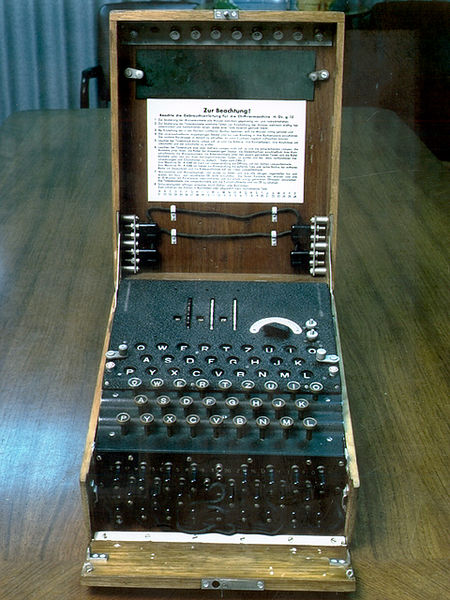
- Public-key (asymmetric) encryption uses a pair of keys: a public key anyone may use to lock data or check a signature, and a private key only the owner holds. It is slower and is used to agree on symmetric keys over a network, to sign software and documents, and to prove a website is who it claims to be (certificates). RSA and elliptic curve methods are the ones in use today, and they are the ones a future quantum computer threatens.
A secure connection uses both: public-key methods to agree on a fresh symmetric key, then fast symmetric encryption for the conversation.

Encryption at rest and what each layer stops
"Encrypted at rest" means stored data is encrypted on the disk, in the database or in the file. It sounds like one thing, but there are several layers, and each one stops a different kind of theft. NIST's SP 800-111 (November 2007), the guide HHS points to for end-user devices, explains the device layers.18
| Layer | What it is | What it stops | What it does not stop |
|---|---|---|---|
| Full-disk or device encryption | The whole drive of a laptop, phone or server is encrypted; opened at sign-in or boot | Theft of a powered-off laptop or a discarded drive | Anyone who signs in, malware running while the device is on, a criminal with the user's password |
| Storage or volume encryption (including cloud provider defaults) | Disks in a data center or cloud volume are encrypted by the platform | Theft or improper disposal of physical media in the data center | Anyone with valid access to the server, database or cloud account |
| Database encryption (often called transparent data encryption) | Database files and backups are encrypted by the database engine | Theft of database files or backup files | Queries by a user or application with database access, including a criminal using stolen credentials |
| File-level or label-based encryption | Individual files carry their own encryption and access list, even when copied or emailed | A file emailed to the wrong person, a copy on a lost USB drive | The authorized user who opens it and copies the contents |
| Field-level or application-level encryption | The application encrypts specific fields (Social Security numbers, account numbers) before storing them; keys held separately | Theft of the database, many SQL-injection style thefts, curious administrators | A criminal who takes over the application itself or its key service |
The pattern is plain: the higher in the stack the encryption happens, and the farther the keys are kept from the data, the more kinds of theft it stops. Cloud providers encrypt storage by default, which helps with physical disposal but does almost nothing against the most common modern attack, a criminal using a valid account. For Restricted data, large organizations should add database, field-level or tokenization controls with keys under their own management.
Lost and stolen laptops remain the textbook case. HHS's guidance on "unsecured" protected health information says that data encrypted in line with NIST guidance (SP 800-111 for data at rest; SP 800-52 and related publications for data in transit), with keys kept separate, is not "unsecured," so its loss is not a reportable breach under the HIPAA Breach Notification Rule.19 That safe harbor is why the Lifespan Health System Affiliated Covered Entity case cost $1,040,000: a stolen employee laptop held information on 20,431 patients, and OCR found Lifespan had decided encryption was reasonable and appropriate but had not done it (settlement announced July 27, 2020).20 The case also has a limit, discussed under hard questions below: in 2021 a federal appeals court vacated a $4,348,000 HHS penalty against the University of Texas M.D. Anderson Cancer Center over unencrypted laptops and thumb drives, ruling the government's decision was "arbitrary, capricious, and contrary to law."21
Encryption in transit
Data moving across a network should travel inside Transport Layer Security (TLS), the protocol behind the padlock in a web browser and behind most secure email relays, application programming interfaces and database connections. NIST SP 800-52 Rev. 2 (Aug. 29, 2019) requires all federal government TLS servers and clients to support TLS 1.2 with approved cipher suites and "requires support for TLS 1.3 by January 1, 2024." NIST noted in May 2026 that the publication is under review.22 OMB's post-quantum memorandum of June 24, 2026 now tells agencies to support TLS 1.3 or a successor "as soon as practicable, but not later than January 2, 2030."23 Older versions (SSL, TLS 1.0 and 1.1) should be off everywhere.
Three common gaps in large organizations:
- Internal traffic left in plain text because "it is inside the firewall." Zero trust thinking, described in lesson 6, treats the internal network as hostile, and the HIPAA proposal and NYDFS rule both reach beyond the perimeter.
- Email between organizations that falls back to unencrypted delivery when the other side's server does not offer TLS. For Restricted data, use a portal or message-level encryption rather than trusting opportunistic TLS.
- File transfer servers and old integrations (plain FTP, unencrypted database links between data centers, legacy interfaces to payers or banks). These are often the oldest code in the building and the hardest to change; inventory them and set dates to retire them.
Any change to production encryption settings can break connections to partners and old systems, so plan it, test it, and keep a way back.
FIPS-validated cryptography and the Sept. 21, 2026 transition
Federal agencies, and contractors whose contracts require it, must use cryptographic modules validated under the Cryptographic Module Validation Program (CMVP), run by NIST and the Canadian Centre for Cyber Security. The current standard is FIPS 140-3 (approved in 2019; CMVP began accepting FIPS 140-3 submissions on Sept. 22, 2020). The CMVP says modules validated under the older FIPS 140-2 could be accepted for new systems only through Sept. 21, 2026, after which they move to the Historical list and may be used only in existing systems. The program reports more than 1,000 active validated modules.24
Two terms cause trouble in procurement. A product that is "FIPS validated" contains a module with a CMVP certificate number that you can look up. A product described as "FIPS compliant" or "uses FIPS algorithms" may not have been tested at all. Ask vendors for the certificate number and check that the module and version they ship match the certificate. After Sept. 21, 2026, also ask whether the certificate is FIPS 140-3 or a FIPS 140-2 certificate now on the Historical list.
What the rules require for encryption
| Rule (version read Nov. 13, 2026) | Who it covers | What it says about encryption |
|---|---|---|
| HIPAA Security Rule, 45 CFR 164.312(a)(2)(iv) and (e)(2)(ii) (2003, amended 2013) | Covered entities and business associates | Encryption is "addressable": implement it if reasonable and appropriate, or document why not and use an equivalent alternative. The Jan. 6, 2025 proposal would require encryption at rest and in transit with limited exceptions; not final.14 |
| FTC Safeguards Rule, 16 CFR 314.4(c)(3) | Non-bank financial institutions under FTC jurisdiction | "Protect by encryption all customer information held or transmitted by you both in transit over external networks and at rest," or use compensating controls reviewed and approved by the Qualified Individual.12 |
| 23 NYCRR 500.15 (as amended Nov. 1, 2023) | Banks, insurers and other entities licensed by New York DFS | Encrypt nonpublic information in transit over external networks and at rest; if infeasible, compensating controls approved in writing by the CISO and reviewed at least annually.13 |
| PCI DSS v4.0.1 (June 2024), Requirements 3 and 4 | Anyone storing, processing or sending payment card data (by contract with card brands) | Render stored card numbers unreadable (strong cryptography, truncation, one-way hashes or tokens); strong cryptography over open public networks; requirements that took effect March 31, 2025 limit disk-level encryption alone to removable media and require keyed hashes.25 |
| NIST SP 800-171 Rev. 3 (May 14, 2024), requirement 03.13.11; CMMC (32 CFR Part 170) | Contractors handling CUI | Use cryptography to protect CUI; CMMC Level 2 assessments still use SP 800-171 Rev. 2, whose 3.13.11 calls for FIPS-validated cryptography.26 |
| State breach notice laws (all 50 states, D.C., Guam, Puerto Rico and the U.S. Virgin Islands) | Anyone holding residents' personal information | Most exempt encrypted data from notice unless the key was also taken.27 Idaho's law defines a breach as "the illegal acquisition of unencrypted computerized data" but does not define "encrypted" or address a stolen key (Idaho Code 28-51-104, as amended through 2026).28 |
The trend across these rules is clear: encryption is moving from "addressable" or "recommended" to required, with written approval needed for any exception. Lesson 11 covers how the encryption safe harbors work in breach notice decisions (lesson 11).
Key management: where encryption succeeds or fails
An encryption key is a password the computer uses. If a criminal gets the key along with the data, encryption did nothing. If you lose the key, you lost the data. NIST SP 800-57 Part 1 Rev. 5 (May 4, 2020) is the federal reference on key management; it is long, but its core ideas fit on a page.29
The key life cycle
- Generate keys with an approved random number generator inside a validated module, never by hand or in a spreadsheet.
- Distribute and store keys apart from the data they protect, ideally in a hardware security module (HSM: a tamper-resistant device built to hold keys) or a cloud key management service backed by one.
- Use each key for one purpose (a key that encrypts data should not also sign software).
- Rotate keys at the end of their cryptoperiod, the length of time a key is authorized for use. SP 800-57 suggests cryptoperiods by key type rather than one universal number; set yours in a standard and automate rotation.
- Revoke and replace keys immediately when they may be compromised, when an administrator who knew them leaves under a cloud, or when an algorithm is retired.
- Archive keys needed to read old encrypted backups and records for as long as those records must be kept. A seven-year retention schedule for encrypted backups needs seven years of keys.
- Destroy keys at the end of their life. Destroying every copy of a key is how cryptographic erase works (see the disposal section).
HSMs, cloud keys and who holds them
In the cloud, the key question is literal: who holds the keys? Most providers offer three options:
- Provider-managed keys: the default. Easy, and the provider can technically read the data (and can be compelled to hand it over).
- Customer-managed keys: keys live in the provider's key service but under your control and policies, with your own rotation and access logs. This is the common choice for Restricted data.
- Customer-supplied or externally held keys: you generate keys in your own HSM and the provider uses them only when your system allows. Strongest control, highest effort, and an outage of your key service is an outage of the application.
Whatever you choose, the key service's administrators should be a small, separate group from the people who administer the data, and every key use should be logged. That separation is a direct defense against the single stolen administrator account that ends so many breach reports (see lesson 5).
Key escrow and recovery
Full-disk encryption on 20,000 laptops means 20,000 recovery keys. If they are not stored centrally and protected, a forgotten password becomes a lost laptop, and a criminal who reaches the recovery key store holds the keys to every device. Store recovery keys in the device management system with tight access and logging, and include the key store in your backup and recovery plans. Ransomware incidents have shown the reverse problem, too: organizations whose key servers were encrypted along with everything else could not read their own encrypted backups. Back up key material separately, under its own protection, and test that you can recover it.
Post-quantum cryptography: the migration has a deadline
A large enough quantum computer, if one is built, could break the public-key methods (RSA and elliptic curve) that protect nearly every secure connection, software update and digital signature today. Symmetric encryption such as AES with 128-bit or longer keys is not seriously threatened. Nobody knows when such a machine will exist. The reason to act now is a tactic called "harvest now, decrypt later": an adversary records encrypted traffic today and stores it until it can be decrypted. NIST's transition report says plainly that encrypted data is at risk from this tactic, and that moving key establishment (how two systems agree on a key) is therefore the first priority.7 Data that must stay secret for ten years or more (health records, trade secrets, government investigations, long-term financial data) is exposed now.
The new standards
On Aug. 13, 2024, NIST published its first three post-quantum standards: FIPS 203 (ML-KEM, a key-establishment method from the algorithm known as CRYSTALS-Kyber), FIPS 204 (ML-DSA, a digital signature method from CRYSTALS-Dilithium) and FIPS 205 (SLH-DSA, a hash-based signature method from SPHINCS+).30 On March 11, 2025, NIST selected a fifth algorithm, HQC, as a backup key-establishment method built on different mathematics, with a draft standard to follow.31 A fourth standard, FIPS 206 (FN-DSA, from the Falcon algorithm), has not been finalized: NIST said in April 2026 that its draft was still in the government's approval chain, and no public draft was found when this lesson was checked in November 2026. Confirm its status on the NIST site before you rely on it.
The federal timeline
The federal dates now come from four documents:
- The Quantum Computing Cybersecurity Preparedness Act (Public Law 117-260, signed Dec. 21, 2022) told agencies to inventory quantum-vulnerable cryptography and OMB to plan the migration.32
- Executive Order 14412, "Securing the Nation Against Advanced Cryptographic Attacks" (June 22, 2026), orders agencies to "transition all HVAs and high impact systems to use PQC for key establishment by December 31, 2030" and to move those systems to post-quantum digital signatures by Dec. 31, 2031 (HVAs are high value assets). It directs the FAR Council to propose, within 180 days, a rule requiring covered contractors to comply with NIST's FIPS, including post-quantum algorithms, by Dec. 31, 2030, and directs CISA and NIST to publish minimum elements for a cryptographic bill of materials within 270 days.33
- OMB Memorandum M-26-15, "Execution of the Migration to Post-Quantum Cryptography" (June 24, 2026), sets phases: inventory and governance in 2026 to 2027, pilots in 2027 to 2028, priority key-establishment migration in 2028 to 2030, signatures in 2031, and remaining systems by 2035. It calls for a dynamic, automated cryptographic inventory, migration plans due 120 days after the memo, and TLS 1.3 by Jan. 2, 2030.23
- NIST IR 8547, "Transition to Post-Quantum Cryptography Standards," final Oct. 27, 2026 (draft Nov. 12, 2024), lists RSA, ECDSA and EdDSA signatures and finite-field and elliptic-curve Diffie-Hellman key establishment as "deprecated after 2030" and "disallowed after 2035." It also says SHA-1 "will be disallowed for use in FIPS-validated cryptographic modules after 2030," and that NIST does not expect to need to move away from its symmetric standards such as AES.7
These dates bind federal agencies directly. They reach private organizations through federal contracts (the promised FAR rule), through the FIPS validation program (vendors will drop validated support for retired algorithms), through regulators who adopt NIST guidance, and through the plain fact that software vendors will follow the federal calendar.
What large organizations should do now
- Name an owner. The executive order requires each agency to name a migration lead. A large private organization should do the same: one person who owns the cryptographic inventory and the plan.
- Build a cryptographic inventory. List where public-key cryptography is used: TLS on websites and application interfaces, VPNs, code signing, document signing, single sign-on tokens, certificates in devices and badges, encrypted backups, hardware security modules, and vendor products. OMB suggests automated sources such as software bills of materials, code scanning and network scanning feeding a cryptographic bill of materials.23
- Rank by data life. Systems that carry data needing secrecy for ten years or more go first, as do long-lived devices (medical equipment, industrial controllers, vehicles, satellites) that will still be in service after 2035.
- Demand crypto agility from vendors. Add contract language asking for a post-quantum roadmap, support for hybrid methods during the transition, FIPS 140-3 validation of the new algorithms, and the ability to change algorithms by configuration rather than replacement.
- Fix the easy things first. Turn off TLS 1.0 and 1.1, move to TLS 1.3, retire SHA-1, and remove hard-coded keys. Each is required on its own terms and each makes the later migration easier.
- Test before you switch. Post-quantum keys and signatures are larger than today's; some older network gear and applications fail with them. Pilot, measure, and keep a way back.
Tokenization, masking and data minimization
Tokenization
Tokenization replaces a sensitive value, such as a card number or Social Security number, with a stand-in value (a token) that has no meaning outside the system that issued it. The real value sits in a tightly protected token vault, or is derived with keys held by a token service. Applications that only need to recognize a customer, not see the number, use the token. If a criminal steals a database of tokens, there is nothing to sell.
Tokenization's best-known use is payment cards. PCI DSS v4.0.1 lists index tokens among the acceptable ways to make stored card numbers unreadable, and systems that hold only tokens, and cannot reach the vault, may fall outside much of the standard's scope.25 That scope reduction is often worth more than the security gain: fewer systems to assess, fewer controls to prove each year. Large organizations now tokenize Social Security numbers, bank account numbers, driver's license numbers and patient identifiers for the same reason. The token service then becomes the crown jewel and needs the strongest access control and monitoring in the building.
Masking, pseudonymization and test data
Masking hides part or all of a value when it is displayed or copied (showing only the last four digits of an account number to a call-center agent, for example). Pseudonymization replaces direct identifiers with codes so analysts can work with records without knowing who they are, while a separate key can re-identify them when needed. Neither makes data anonymous; pseudonymized data is still personal data under most privacy laws, including the European Union's General Data Protection Regulation.
The biggest practical win is test data. Developers need realistic data; they do not need real patients or customers. Masked or synthetic test data removes one of the largest pools of shadow data in most organizations. Make "no production Restricted data in non-production systems without data owner approval" a written standard.
Data minimization: the control that costs nothing to run
Data you do not have cannot be stolen, encrypted for ransom, subpoenaed or mishandled. Regulators now treat keeping data too long as a security failure in its own right:
- In February 2024 the FTC alleged that Blackbaud, a software company serving nonprofits, schools and health care organizations, "held onto data far longer than was necessary," including data of former customers, and failed to encrypt sensitive data; a criminal removed "unencrypted sensitive consumer data," including Social Security and bank account information, in 2020.34 The FTC's final order of May 20, 2024 requires Blackbaud to delete data it no longer needs to provide its products or services and to adopt a data retention schedule.35
- The FTC Safeguards Rule requires covered financial institutions to dispose of customer information "no later than two years after the last date the information is used" to serve the customer, unless it is needed for business operations, required by law, or cannot feasibly be disposed of (16 CFR 314.4(c)(6)).12
Minimization is also the answer to double extortion. A company that deleted its 2012 applicant files cannot be extorted over them.
Retention schedules and legal holds
A retention schedule is a written list of the kinds of records an organization keeps (record series), how long each must be kept, why, and what happens at the end. It is the tool that turns "keep only what you need" into a rule people can follow and auditors can test. The small business version is in module 73, lesson 17; at scale, three things change: the number of legal requirements, the number of systems, and the volume of data that must be deleted on schedule by machines rather than people.
Building the schedule at scale
- Collect the legal requirements for every jurisdiction and regulator. Examples from federal rules (each read Nov. 13, 2026; check the current text): HIPAA policies, risk analyses and other required documentation, six years from creation or last effective date (45 CFR 164.316(b)(2)); payroll records under the Fair Labor Standards Act, three years (29 CFR 516.5); OSHA injury and illness logs, five years after the end of the year (29 CFR 1904.33); Form I-9, three years after hire or one year after employment ends, whichever is later; broker-dealer business communications, at least three years, the first two in an easily accessible place (17 CFR 240.17a-4(b)(4)).36
- Add business needs, set by data owners: how long the business truly uses the data, and how long it might be needed to defend a claim (statutes of limitation).
- Use big buckets. Hundreds of record series with slightly different periods cannot be automated. Many large organizations group records into a dozen or two "big buckets" (for example, three years, seven years, ten years, permanent) and apply the longest requirement in each bucket.
- Map buckets to systems. Each application, mailbox class, file share and backup set gets a retention setting. Email and collaboration platforms now have built-in retention and deletion policies; use them.
- Automate disposal, with a log of what was deleted and when, and a hold check before anything is destroyed.
- Review the schedule yearly with the records manager, the general counsel's office, privacy, security and the business owners, and have it approved at the level your governance policy requires (see lesson 4).
Public bodies have their own statutes. In Idaho, for example, city records are sorted by law into permanent, semipermanent (kept "not less than five (5) years"), temporary (kept "not less than two (2) years") and historical records, and semipermanent and temporary records may be destroyed only by city council resolution listing them in detail (Idaho Code 50-907, as amended 2016).37 Idaho state agencies follow schedules approved through the state archives, and public records requests are governed by Idaho Code Title 74. Electronic copies, including backups, are part of those records decisions.
Keeping too little is also a failure
Retention cuts both ways. The SEC announced on Sept. 27, 2022 that 15 broker-dealers and one investment adviser would pay more than $1.1 billion combined because employees used text messaging apps on personal devices for business from January 2018 through September 2021 and the firms did not preserve "the substantial majority of these off-channel communications."38 That was a records failure, not a hack, and the penalties dwarf most breach settlements. The SEC also updated its broker-dealer electronic recordkeeping rule in 2022 so firms may keep records either in a write-once, read-many format or in a system with a complete, time-stamped audit trail of every change.36 The same "cannot be altered or deleted" idea is what makes a backup immutable.
Legal holds
When litigation, a government investigation or an audit is reasonably anticipated, the duty to preserve relevant information starts, and it overrides the retention schedule. Federal Rule of Civil Procedure 37(e), as amended Dec. 1, 2015, sets the consequence: if electronically stored information "that should have been preserved in the anticipation or conduct of litigation is lost because a party failed to take reasonable steps to preserve it," and it cannot be restored or replaced, a court may order measures to cure the prejudice and, if it finds an intent to deprive the other side of the information, may presume the information was unfavorable, instruct the jury that way, or dismiss the case or enter a default judgment.39 Many state courts follow similar rules.
A legal hold process at scale has these parts:
- Trigger. A written rule says who decides a hold is needed (usually the general counsel's office) and how fast.
- Scope. Name the custodians (people), systems, date ranges and data types.
- Notice. Send a written hold notice to custodians, with acknowledgment tracked, and reminders at set intervals.
- Systems. IT suspends automatic deletion for the scoped mailboxes, chat, file shares and devices, and places in-place holds in cloud platforms. Departing employees on hold keep their data even after their accounts are closed.
- Backups. Decide whether backup media must be pulled from rotation. Preserving the live data in place is usually far cheaper than freezing whole backup sets.
- Release. When the matter ends, release the hold in writing and let normal retention resume. Holds that are never released are a major source of over-retention.
Secure disposal
Disposal is where many organizations lose data they had long stopped thinking about: the leased copier returned with a hard drive full of scanned records, the server sold for scrap, the failed drive sent back under warranty, the laptop handed to a recycler.
NIST SP 800-88 Rev. 2 (September 2025)
NIST replaced its 2014 media sanitization guide with SP 800-88 Rev. 2 in September 2025. The new version aims to help organizations "in setting up a media sanitization program," not just pick a wiping tool.6 It keeps the three familiar levels:
- Clear: logical techniques (overwriting through the device's normal interface) that sanitize all user-addressable storage. Suitable for reuse inside the organization for lower-risk data.
- Purge: techniques that "make the recovery of target data infeasible using state-of-the-art laboratory techniques" while leaving the media reusable, such as built-in secure erase commands and cryptographic erase.
- Destroy: physical techniques (shredding, disintegrating, incinerating) that make recovery infeasible and leave the media unusable.
Rev. 2 moves most device-specific techniques out to an industry standard (IEEE 2883), adds a detailed section on cryptographic erase, adds guidance for logical and cloud storage, and describes verification (did the technique complete?) and validation (do we accept the result for this sensitivity of data?). It also describes a certificate of sanitization that records at least the manufacturer, model, serial number, media type, method and technique, tool and version, verification method and the people involved.6
Two practical points for large organizations. First, solid-state drives and phones do not reliably sanitize by simple overwriting, because they spread writes across hidden areas; use the manufacturer's purge commands or cryptographic erase, or destroy them. Second, cryptographic erase (destroying every copy of the key that encrypted the media) is the only realistic way to sanitize most cloud storage, and it works only if the data was encrypted from the start and you can show every copy of the key is gone. Rev. 2 warns that it may not be acceptable when keys were backed up or escrowed without high confidence in key management.
Vendors and chain of custody
Most large organizations hire disposal vendors. The Morgan Stanley case shows why oversight matters. According to the SEC's Sept. 20, 2022 order, the firm hired a moving and storage company with no data destruction experience to decommission thousands of hard drives and servers holding data on about 15 million customers; some devices were resold online with the data still on them, the firm "has not recovered the vast majority of the devices," and 42 servers that may have held unencrypted customer data went missing during a hardware refresh, even though the equipment had encryption capability the firm "failed to activate" for years. The firm paid $35 million to settle charges under Regulation S-P's safeguards and disposal rules, without admitting or denying the findings.8 The SEC later strengthened Regulation S-P itself: amendments adopted May 16, 2024 require covered brokers, dealers, investment advisers and others to keep a written incident response program, notify affected individuals within 30 days of discovering that sensitive customer information was or is reasonably likely to have been accessed without authorization, and oversee service providers, with compliance required by Dec. 3, 2025 for larger entities and June 3, 2026 for smaller ones.8
Controls that would have changed that outcome: an asset inventory that tracks each drive by serial number to the end of its life; encryption turned on so a lost drive is not a breach; a disposal vendor chosen for data destruction (look for independent certification of sanitization practices) and bound by contract to sanitize to SP 800-88, provide certificates by serial number, and allow audits; locked chain-of-custody containers; and spot checks of sanitized media. The FTC's Disposal Rule (16 CFR Part 682) separately requires anyone who uses consumer report information to take reasonable measures to protect against unauthorized access when disposing of it, such as burning, pulverizing or shredding papers and destroying or erasing electronic media.40


The overlooked devices
- Multifunction copiers and printers with internal drives that store scanned images.
- Medical and lab devices (imaging systems, infusion pumps, analyzers) that store patient data; coordinate with the vendor and clinical engineering, as described in module 109, lesson 7.
- Network gear holding configurations, passwords and certificates.
- Industrial controllers and human-machine interfaces holding process recipes and credentials (see module 111).
- Phones and tablets, including personally owned devices enrolled in management, which should be wiped of company data at separation.
- Leased equipment and cloud instances returned to providers, where the contract should state how media is sanitized and how you will know.
Backups that survive an attack
Backups used to protect against fires, floods and failed disks. They still must, but the threat that drives backup design now is a criminal with administrator rights who wants you unable to recover. Federal agencies put it bluntly in the #StopRansomware Guide (May 2023): "Maintain offline, encrypted backups of critical data, and regularly test the availability and integrity of backups in a disaster recovery scenario," because "many ransomware variants attempt to find and subsequently delete or encrypt accessible backups to make restoration impossible unless the ransom is paid."3
3-2-1 and what ransomware added
The old rule of thumb, often called 3-2-1, is three copies of important data, on two different kinds of media, with one copy off site. Industry practice has added to it: at least one copy that is offline (disconnected) or immutable (it cannot be changed or deleted until a set date, even by an administrator), and zero errors in restore tests. Some vendors call that 3-2-1-1-0. The labels are marketing; the ideas are sound.
- Offline means no network path: tapes in a vault, removable drives in a safe, a vault that connects only during a scheduled window.
- Immutable means the storage itself refuses changes for the retention period: write-once storage, cloud object storage with a compliance-mode lock, or backup appliances with a locked retention setting that the vendor cannot override on a phone call.
- Isolated recovery environments (sometimes called cyber vaults or clean rooms) hold a protected copy and a place to restore and inspect it before reconnecting to the production network.

Guard the backup system itself
The backup server is the single most valuable target in a ransomware attack, because it can delete every copy. Treat it that way:
- Separate identity. Backup administration accounts should not be ordinary domain accounts, should require phishing-resistant multifactor authentication, and should be used only for backup work. Where possible, keep the backup system out of the main directory domain so one stolen domain administrator account cannot reach it.
- Two-person rules for deleting backups, shortening retention or disabling immutability, if the product supports them.
- Alerts on failed or deleted jobs, retention changes and mass expiration, sent to the security operations team, not only to the backup team.
- Patching. Backup software has its own vulnerabilities, and several have appeared in CISA's Known Exploited Vulnerabilities catalog, the federal list of flaws attackers are actually using. Patch backup servers on the same urgent timeline as internet-facing systems.41
- Encryption of backups, with keys stored and backed up separately, so a stolen backup file is not a breach.
- Protect the recovery tools too: installation media, "golden images" (clean, preconfigured system templates), infrastructure-as-code templates and documentation, kept offline. The #StopRansomware Guide recommends keeping golden images current and storing infrastructure templates offline "to quickly redeploy resources."3
Cloud and software-as-a-service backups
Two assumptions cause trouble. The first is that sync is backup. The federal guide warns: "Automated cloud backups may not be sufficient because if local files are encrypted by an attacker, these files will be synced to the cloud, possibly overwriting unaffected data."3 The second is that the software-as-a-service provider backs up your data for you. Under the shared responsibility model described in lesson 6, most providers protect their platform from their own failures, but restoring data your users or an attacker deleted, or keeping it longer than the provider's short recycle period, is often your job. For email, file collaboration, customer relationship management and other critical cloud services, decide whether you need a separate backup, held in a different account or provider, and test restoring from it.
Recovery objectives and restore testing
RTO, RPO and MTD in plain words
NIST's contingency planning guide, SP 800-34 Rev. 1 (May 2010, updated November 2010), defines the three numbers every recovery plan needs:4
- Maximum tolerable downtime (MTD): "the total amount of time the system owner/authorizing official is willing to accept for a mission/business process outage or disruption and includes all impact considerations." It is a business decision.
- Recovery time objective (RTO): "the maximum amount of time that a system resource can remain unavailable before there is an unacceptable impact on other system resources, supported mission/business processes, and the MTD." The RTO must be shorter than the MTD, because after the system comes back people still need time to catch up.
- Recovery point objective (RPO): "the point in time, prior to a disruption or system outage, to which mission/business process data can be recovered (given the most recent backup copy of the data) after an outage." In plain terms, how much recent data you can afford to lose. Nightly backups mean an RPO of up to 24 hours.
The business impact analysis at scale
The numbers come from a business impact analysis: interviews and data that show what each business process depends on and what an outage costs per hour or day in money, safety, legal duties and public trust. At scale, three lessons recur:
- Tier the systems. Few organizations can restore everything at once. Many use tiers: tier 0 for the systems everything else needs (identity and directory services, DNS, network core, key management, the backup system itself), tier 1 for life safety and core revenue (in a hospital, the health record, pharmacy and lab; in a bank, payments and core banking), and lower tiers for the rest. Restore order follows the tiers.
- Map dependencies. The claims system may have a four-hour RTO, but if it depends on a directory service, a database cluster, a file transfer server and a vendor connection, each of those needs an RTO at least as short.
- Price the gap. If the business wants a one-hour RTO and the current design delivers three days, the data owner either funds the difference or signs a written acceptance of the risk (see lesson 2).
NYDFS now asks for this link explicitly: its asset inventory must record each asset's recovery time objective (500.13), and its business continuity rule requires backups "necessary to restore material operations," "adequately protected from unauthorized alterations or destruction" (500.16(e)).135
Testing restores
A backup that has never been restored is a hope, not a control. Several rules and federal guides now name the test:
- 23 NYCRR 500.16(d) requires covered entities to test "at a minimum annually" their "ability to restore its critical data and information systems from backups."5
- CISA's Cross-Sector Cybersecurity Performance Goals (goal 2.R, System Backups) say systems necessary for operations should be backed up "no less than once per year" and that backups "are stored separately from the source systems and tested on a recurring basis, no less than once per year." Those are floors, not targets.42
- The HIPAA Security Rule today requires a data backup plan, a disaster recovery plan and an emergency mode operation plan, with testing and revision "addressable" (45 CFR 164.308(a)(7)).43 The Jan. 6, 2025 proposal would add separate technical controls for backup and recovery and written procedures to "restore the loss of certain relevant electronic information systems and data within 72 hours." Not final as of Nov. 13, 2026.14
- NIST's National Cybersecurity Center of Excellence practice guide SP 1800-11, Data Integrity: Recovering from Ransomware and Other Destructive Events (2020), shows how commercial tools can be combined to detect corruption and restore known-good data.44
Good restore testing in a large organization goes well past restoring one file:
- Test against the RTO. Time a full restore of each tier 0 and tier 1 system at least yearly, and compare the result to the written RTO. Report the gap to the data owner.
- Test from the immutable or offline copy, not just the fast copy, because that is the one you will use after a ransomware attack.
- Test identity first. Restoring a directory service from backup is hard and rarely practiced. If it cannot come back, nothing else can sign in.
- Verify integrity before trusting a backup. CSF 2.0 RC.RP-03 asks that "The integrity of backups and other restoration assets is verified before using them for restoration."9 Attackers often sit inside a network for weeks; a backup from last night may contain their tools. Keep enough history (weeks, not days) to go back before the intrusion, and scan restored systems in an isolated environment.
- Test the people. Run the restore with the on-call team using the written runbook, not the one engineer who built the system. Fold it into the tabletop exercises described in lesson 10.
- Write it down. Record what was restored, how long it took, what failed, and what was fixed. Regulators and auditors ask for this evidence.
The recovery sequence after ransomware
Detailed response steps belong to lesson 10. From the data protection side, a typical recovery runs in this order:
- Contain: isolate affected systems and protect the backup environment (disconnect replication if it might carry the damage).
- Preserve evidence before wiping anything, and bring in qualified security professionals, the insurer if there is a policy, and law enforcement (the FBI and CISA).
- Find a clean restore point: identify when the intrusion began and choose backups from before it, verified in an isolated environment.
- Rebuild tier 0 first: identity, DNS, key management, on clean infrastructure from golden images, with all privileged credentials reset.
- Restore tier 1, then lower tiers, verifying each before reconnecting.
- Work out what was taken (the double extortion half) and start the breach notice analysis described in lesson 11.
- Run an after-action review and fix the gaps the attack exposed.
Every one of these steps changes production systems under pressure. Plan them in advance, test them in exercises, and have a way back.
Sample policies
The two samples below are written for a large organization with a CISO, a records manager and named data owners. Smaller organizations can start from the shorter versions in module 73. The full list of sample policies in this module and its sister modules is in the policy library in lesson 12.
Sample only. Adapt it to your organization's risks, systems and laws, have qualified people review it, and do not treat it as a substitute for a risk assessment.
Follows: NIST CSF 2.0 (ID.AM-07, PR.DS-01, PR.DS-02, PR.DS-10); FIPS 199; NIST SP 800-88 Rev. 2 (Sept. 2025); FTC Safeguards Rule 16 CFR 314.4(c)(2), (c)(3) and (c)(6); 23 NYCRR 500.13 and 500.15; Federal Rule of Civil Procedure 37(e); Idaho Technology Authority Policy P4130 and Guideline G505.
Data Classification and Retention Policy (sample)
1. Purpose. [Organization name] holds information about customers, patients, employees, citizens and its own operations. This policy sets how that information is labeled, handled, kept and destroyed so that it is protected in line with its sensitivity and kept only as long as law and business need require.
2. Scope. All information in any form (electronic, paper, audio, video) created, received or held by [Organization name], its employees, contractors and vendors, in every system, including cloud services, personal devices enrolled in management, backups and archives.
3. Roles. (a) Each major information type has a data owner at the [director] level or above, named in the data inventory, who sets its classification, approves access and sharing, sets its recovery time objective, and accepts residual risk. (b) The records manager maintains the retention schedule. (c) The general counsel's office issues and releases legal holds. (d) The CISO sets the handling standards and verifies compliance. (e) IT and vendors act as custodians under this policy.
4. Data inventory. The [CISO or chief data officer] maintains an inventory of systems and data stores that records, for each, the owner, data types, classification, location (including country), vendor, retention bucket and recovery time objective. Owners confirm their entries at least every [12] months and when a system is added, changed or retired.
5. Classification levels. Information is classified as Public, Internal, Confidential or Restricted, as defined in the handling standard attached as Appendix A. Information without a label is treated as Internal. Information that contains any Restricted element (for example, Social Security numbers, financial account numbers, protected health information, payment card data, Controlled Unclassified Information, credentials or encryption keys) is Restricted.
6. Handling. (a) Confidential and Restricted information is encrypted at rest and in transit using FIPS 140-3 validated modules where available, with TLS 1.2 or later (TLS 1.3 preferred) for network transfer. (b) Restricted information is stored only in systems approved for it, with keys managed under the [Cryptographic Key Management Standard]. (c) Restricted information is not placed in non-production systems, collaboration chat, personal email, personal cloud storage or unapproved AI tools without written data owner approval. (d) Sharing Confidential or Restricted information outside [Organization name] requires a written agreement with security terms, and for Restricted information, data owner approval. (e) Data loss prevention tools will monitor and may block transfers that break these rules.
7. Minimization. Collect only the information needed for a stated purpose. Replace Restricted identifiers with tokens or masked values wherever the full value is not needed.
8. Retention schedule. The records manager maintains a retention schedule that assigns each record series to a retention bucket of [3 years / 7 years / 10 years / permanent] based on legal requirements and business need. The schedule is reviewed every [12] months and approved by [the records committee].
9. Disposal. At the end of its retention period, and absent a legal hold, information is destroyed. Electronic media are sanitized under NIST SP 800-88 Rev. 2 (clear, purge or destroy according to classification), with certificates of sanitization kept for [3] years. Paper is cross-cut shredded, pulped or incinerated. Disposal vendors are bound by contract to these standards and are audited at least every [24] months. Customer information covered by the FTC Safeguards Rule is disposed of no later than two years after its last use unless an exception in 16 CFR 314.4(c)(6) applies.
10. Legal holds. When the general counsel's office issues a legal hold, all scheduled destruction of the information within its scope stops, including automatic deletion, until the hold is released in writing. Custodians must acknowledge holds within [5] business days. IT applies system holds within [2] business days.
11. Exceptions. Exceptions require a written request, a compensating control, approval by the data owner and the CISO, and an expiration date no more than [12] months out.
12. Enforcement and review. Violations may lead to discipline up to termination of employment or contract. This policy is reviewed every [12] months. Approved by [title] on [date].
Sample only. Adapt it to your organization's risks, systems and laws, have qualified people review it, and do not treat it as a substitute for a risk assessment.
Follows: CISA, NSA, FBI and MS-ISAC #StopRansomware Guide (May 2023); CISA Cross-Sector Cybersecurity Performance Goals (goal 2.R); NIST SP 800-34 Rev. 1; NIST CSF 2.0 (PR.DS-11, RC.RP-03); 23 NYCRR 500.16; 45 CFR 164.308(a)(7).
Backup and Recovery Standard (sample)
1. Purpose. To make sure [Organization name] can restore its systems and data after hardware failure, disaster, human error or a cyberattack, including ransomware, within the recovery objectives set by data owners.
2. Scope. All production systems and data listed in the data inventory, including on-premises servers, cloud workloads, software-as-a-service data, directory and identity services, network device configurations, encryption key material and the backup system itself.
3. Recovery objectives. Each system's data owner sets a recovery time objective (RTO) and recovery point objective (RPO) through the business impact analysis, recorded in the data inventory. Systems are assigned to tiers: Tier 0 [identity, DNS, network core, key management, backup], Tier 1 [list], Tier 2 [list], Tier 3 [all others].
4. Backup frequency. Backups run often enough to meet each system's RPO, and at least [daily] for Tier 0 and Tier 1 systems.
5. Copies. Tier 0 and Tier 1 data is kept in at least three copies, on at least two kinds of storage, with at least one copy in a separate location and at least one copy offline or immutable for at least [30] days. Synchronization or replication alone is not a backup.
6. Protection. (a) Backups are encrypted, with keys stored and backed up separately from the backup data. (b) Backup administration uses dedicated accounts with phishing-resistant multifactor authentication, not used for any other purpose. (c) The backup system is not joined to the main production directory domain [or: is in a separate administrative tier]. (d) Deleting backups, shortening retention or disabling immutability requires approval by two authorized people. (e) Alerts for failed jobs, deleted jobs and retention changes go to the security operations center. (f) Backup software is patched within [X] days, and within [Y] days for vulnerabilities listed in CISA's Known Exploited Vulnerabilities catalog.
7. Recovery assets. Golden images, installation media, infrastructure-as-code templates, configuration exports, recovery keys and the current runbooks are stored offline and updated at least every [quarter].
8. Software-as-a-service. For each critical cloud service, the data owner and CISO document what the provider backs up and for how long, and whether a separate backup is required. Where required, it is held in a separate account or provider.
9. Testing. (a) A sample of backups is restored [monthly]. (b) Each Tier 0 and Tier 1 system is fully restored from the offline or immutable copy at least annually and timed against its RTO. (c) Integrity is verified before production use. (d) Results, gaps and fixes are recorded and reported to data owners and the [risk committee].
10. Retention and holds. Backups are kept for [period] and then expire, consistent with the Data Classification and Retention Policy, except where a legal hold requires otherwise.
11. Changes. Changes to backup configuration follow change management, with testing and a way back.
12. Review. This standard is reviewed every [12] months and after any major incident. Approved by [title] on [date].
Pictures, Numbers and Infographics
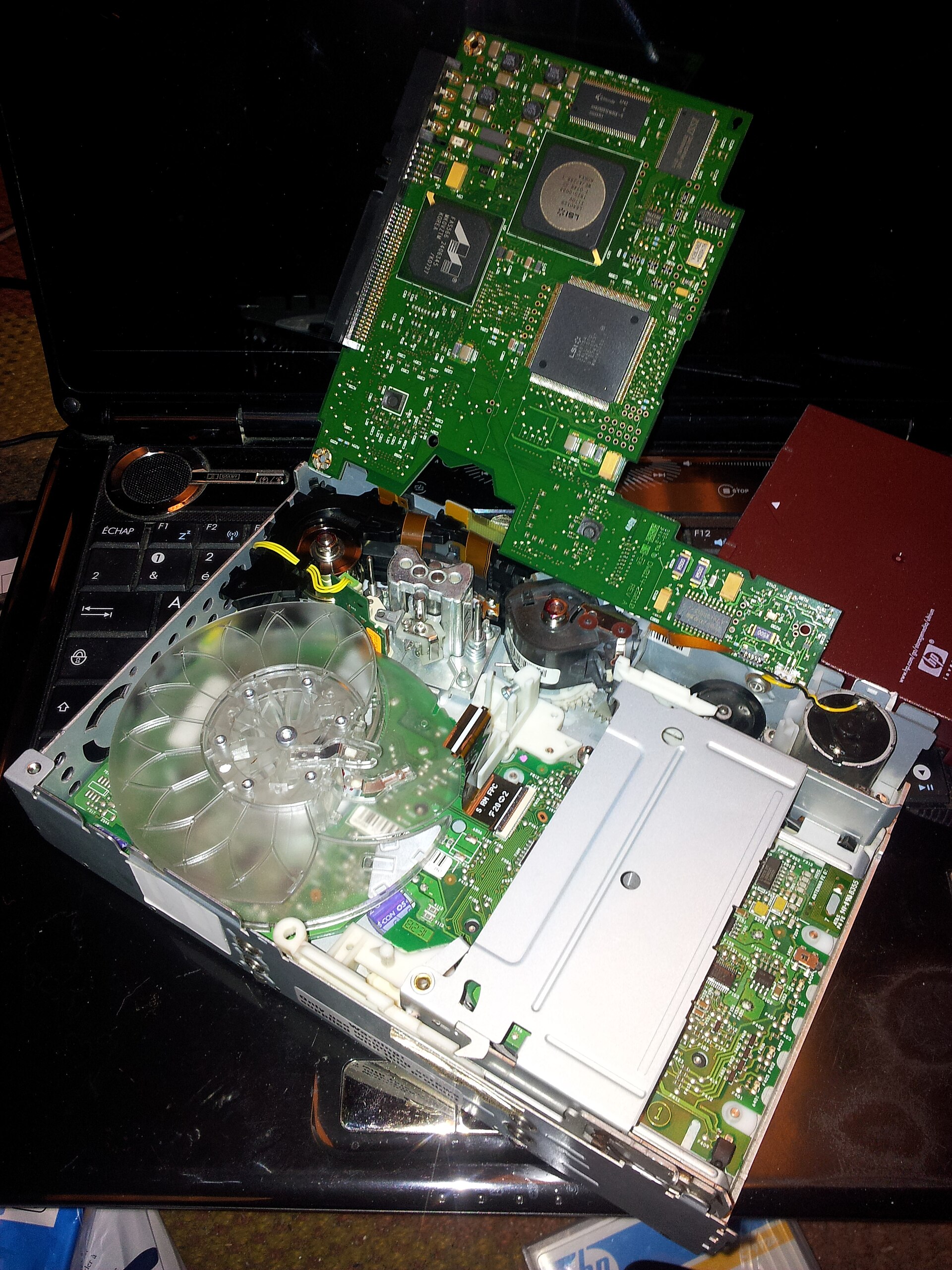
The numbers in this lesson, each with its source and year. The photographs above show a crashed hard drive, an Enigma machine, shredded paper and the inside of a tape drive; the infographics show the data life cycle, the post-quantum calendar, a ransomware-resistant backup design and how recovery objectives fit together. One more graphic, comparing what major rules require, follows the table.
| Number | What it measures | Source |
|---|---|---|
| $10.22 million | Average cost of a data breach in the United States, a record (2025 study) | IBM and Ponemon, Cost of a Data Breach 20251 |
| $4.44 million | Global average breach cost, first decline in five years (2025 study) | IBM 20251 |
| $7.42 million | Average health care breach cost, costliest industry (2025 study) | IBM 20251 |
| $670,000 | Extra average breach cost for organizations with high levels of unapproved AI use (2025 study) | IBM 20251 |
| 44 percent | Share of breaches involving ransomware (2025 report) | Verizon 2025 DBIR2 |
| $115,000 and 64 percent | Median ransom paid, and share of ransomware victims who did not pay (2025 report) | Verizon 2025 DBIR2 |
| More than 3,600 | Ransomware complaints to the FBI in 2025 | FBI IC3 2025 report10 |
| About 192.7 million | People affected by the Change Healthcare attack, as of July 31, 2025 | HHS OCR11 |
| $35 million; about 15 million; 42 | SEC penalty on Morgan Stanley Smith Barney (Sept. 20, 2022); customers whose data was on decommissioned devices; servers missing after a hardware refresh | SEC8 |
| More than $1.1 billion | Combined SEC penalties on 16 firms for failing to preserve off-channel messages (Sept. 27, 2022) | SEC38 |
| $1,040,000 and 20,431 | Lifespan settlement over a stolen unencrypted laptop (July 27, 2020), and patients affected | HHS OCR20 |
| $4,348,000 | HHS penalty on M.D. Anderson vacated by the Fifth Circuit (Jan. 14, 2021) | U.S. Court of Appeals for the Fifth Circuit21 |
| $950,000 | Heritage Valley Health System settlement after a 2017 ransomware attack (July 1, 2024) | HHS OCR45 |
| $51,744 | Maximum civil penalty per violation of a final FTC order, as stated in the Blackbaud release (Feb. 1, 2024) | FTC34 |
| 2 years | Latest disposal date for customer information after last use, with exceptions, under the FTC Safeguards Rule | 16 CFR 314.4(c)(6)12 |
| At least annually | Restore tests from backups required of New York DFS-regulated entities | 23 NYCRR 500.16(d)5 |
| 72 hours | Proposed HIPAA deadline for restoring certain systems and data (proposal of Jan. 6, 2025; not final) | HHS14 |
| Sept. 21, 2026; more than 1,000 | Last day FIPS 140-2 modules could be accepted for new federal systems; active validated modules | NIST CMVP24 |
| Jan. 1, 2024 and Jan. 2, 2030 | TLS 1.3 support required by SP 800-52 Rev. 2; TLS 1.3 deadline in OMB M-26-15 | NIST; OMB2223 |
| Dec. 31, 2030 and Dec. 31, 2031 | Federal high-value and high-impact systems move to post-quantum key establishment, then signatures | Executive Order 1441233 |
| After 2030; after 2035 | Quantum-vulnerable public-key algorithms deprecated; then disallowed | NIST IR 85477 |
| 24 hours | Time for an Idaho public agency to notify the Idaho Attorney General after discovering a breach | Idaho Code 28-51-10546 |
| 5 years and 2 years | Minimum retention for Idaho city semipermanent and temporary records | Idaho Code 50-90737 |
Common mistakes
Encryption available but not turned on
The Morgan Stanley order is the clearest example: equipment had encryption capability, and the firm "failed to activate the encryption software for years," so missing servers and resold drives became a $35 million problem.8 Lifespan had decided laptop encryption was reasonable and appropriate and then did not encrypt; a stolen laptop led to a $1,040,000 settlement.20 The fix is a report, reviewed monthly, of every device and data store and whether its encryption is on, with exceptions approved and dated.
A disposal vendor chosen for price, not data destruction
The same SEC order describes a moving and storage company with no data destruction experience handling thousands of drives, and a firm that did not supervise it or track the devices.8 Choose vendors for sanitization competence, require certificates by serial number under SP 800-88, and audit them.
Keeping everything
The FTC's Blackbaud complaint alleged the company kept data, including former customers' data, "far longer than was necessary," and the order now requires deletion and a retention schedule.3435 Over-retention turns every breach into a larger breach. A retention schedule that nobody enforces in the systems is the same as none.
Keeping too little
The opposite failure cost 16 financial firms more than $1.1 billion in 2022, when the SEC found they had not preserved business messages employees sent through personal texting apps.38 Retention rules reach every channel people actually use, including chat and text. If a channel cannot be retained, it cannot be approved for business.
No contingency plan until the attack
HHS OCR settled with Heritage Valley Health System for $950,000 on July 1, 2024 after a June 2017 ransomware attack, citing failures to conduct a risk analysis, to implement a contingency plan for ransomware and other emergencies, and to limit access to authorized users.45 A written backup, disaster recovery and emergency operations plan has been a HIPAA requirement since 2003; the attack only revealed that it was missing.
Backups reachable from the production domain
Federal agencies warn that ransomware actors hunt for and destroy accessible backups.3 Backup servers joined to the main directory, managed with ordinary domain administrator accounts and kept online with short retention are the pattern behind many "we had backups, but" stories. Separate identity, multifactor authentication and an immutable or offline copy fix most of it.
Never restoring
Organizations discover during an incident that a backup job had been failing silently, that a database was excluded, that tape restores take a week, or that nobody knows how to rebuild the directory. NYDFS made annual restore testing a rule for that reason.5 Time a full restore of every critical system against its RTO at least once a year.
Losing the keys
Encrypted backups whose keys lived on a server that was itself encrypted by ransomware, and laptops whose recovery keys were never escrowed, turn a security control into data loss. Back up key material separately and test recovering it.
Questions people ask
If our cloud provider encrypts everything by default, are we covered?
Only against one kind of theft: someone walking off with physical disks from the provider's data center. Default storage encryption does nothing when a criminal signs in with a stolen account or an application flaw lets them query the data. For Restricted data, add database, field-level or tokenization controls with keys you manage, strong sign-in controls (lesson 5) and monitoring.
Does encryption mean we never have to notify anyone after a breach?
Often, but not always. Most state laws and the HIPAA rule exempt properly encrypted data, but many state laws withdraw the exemption if the key was also taken, and an attacker who used a valid account read the data in decrypted form.2719 Idaho's law speaks of "unencrypted computerized data" without defining encryption, so expect questions about how strong it was and where the keys were.28 The notice analysis is in lesson 11.
How long should we keep backups?
Long enough to go back to a point before an attacker arrived (weeks, not days, for at least one copy), and no longer than your retention schedule and legal holds allow. Backups are not an archive. If records must be kept for years, put them in an archive system with its own retention and search, and let backups expire.
Do we have to delete personal data from backups when someone asks?
Usually not immediately. California's privacy regulations, for example, let a business delay deleting a consumer's data from archived or backup systems until that system is restored to an active system or next accessed or used (Cal. Code Regs. tit. 11, section 7022).47 The data must be deleted when restored, so keep a list of deletion requests to reapply after any restore.
Is tape obsolete?
No. Tape is slow to restore and needs careful handling, but a cartridge in a vault is offline by nature and cheap per terabyte. Many large organizations use disk for fast restores, cloud or a second site for distance, and tape or locked object storage for the copy a criminal cannot reach.
When should we start on post-quantum cryptography?
Now, with the inventory, the owner and the vendor questions. Federal agencies must move their most important systems' key establishment by Dec. 31, 2030, and NIST will disallow today's public-key algorithms after 2035.337 Large migrations in the past (from SHA-1, from old TLS versions) took most of a decade.
Who should set our recovery time objectives?
The business owners, informed by the business impact analysis and the cost of meeting each target. IT tells them what the current design delivers and what a faster one would cost; the owners decide and sign. The board should see the gaps between the targets and the tested results (see lesson 4).
Hard questions
Should encryption at rest be mandatory everywhere, or a risk-based choice?
The case for a mandate: encryption is cheap and built into nearly every device and platform; "addressable" has been read as "optional" for two decades; and lost-device breaches keep happening. HHS's 2025 proposal, the FTC Safeguards Rule and the NYDFS rule all move toward requiring it, with written exceptions.1412
The case for flexibility: some medical devices, industrial controllers and old systems cannot encrypt without replacement or safety testing; small providers face real costs; and regulators should judge whether protection was reasonable, not punish the absence of one tool. The Fifth Circuit's M.D. Anderson decision vacated a $4,348,000 penalty, finding HHS's decision "arbitrary, capricious, and contrary to law" in part because the rule required a mechanism to encrypt, not that every device be encrypted, and because HHS had treated similar cases differently.21
What the evidence shows: where encryption is feasible, it turns most lost-device events into non-events, and the trend in rules is toward requiring it. A written mandate with a documented, approved, time-limited exception process gives the benefits of both positions.
Keep data for analytics and AI, or delete it?
The case for keeping: historical data trains models, reveals fraud and supports research; deleting it may destroy value the organization cannot recreate; and some data may be needed for future claims.
The case for deleting: every year of retained personal data adds to breach exposure and discovery costs; regulators now treat over-retention as a security failure (the Blackbaud order) and the Safeguards Rule sets a two-year disposal clock.3512
What the evidence shows: the middle path is to keep what has a stated purpose and an owner, de-identify or aggregate what analytics needs, and delete the rest on schedule. "We might need it someday" is not a purpose a regulator accepts.
Immutable backups versus the right to deletion
The case for immutability: ransomware actors destroy backups that can be deleted; locked copies are the most reliable way to recover.3
The case for caution: privacy laws give people a right to have data deleted, and data that cannot be deleted for months sits in tension with that right and with retention schedules.
What the evidence shows: regulators have so far accommodated backups. California's rules allow deletion to wait until a backup is restored or used.47 Keep immutability periods as short as the recovery need allows (often 30 to 90 days), document why, and reapply deletion requests after any restore.
Move to post-quantum cryptography now, or wait for the products to mature?
The case for moving now: harvest-now-decrypt-later means long-lived secrets are exposed today; federal deadlines are set; migrations take years.733
The case for waiting: the algorithms are new; one standard (FIPS 206) had not been finalized when this lesson was checked; implementation bugs are likely in early products; and replacing working systems early costs money and risks outages.
What the evidence shows: both sides agree on the first steps, which carry little risk: inventory, crypto agility in contracts, retiring obsolete algorithms and TLS versions, and pilots. Wholesale replacement can follow vendor support and validated modules.
Pay a ransom when backups fail?
The case for paying: when backups are gone and patients, customers or citizens are harmed every day a system is down, paying may be the fastest way back.
The case against: payment funds the next attack, may violate sanctions rules if the group is sanctioned, does not guarantee a working decryptor or deletion of stolen data, and marks the victim as a payer. IBM's 2025 study found 63 percent of extortion victims chose not to pay, and Verizon's 2025 report found 64 percent did not pay.12
What the evidence shows: the decision is far easier, and payment far less likely, for organizations with tested offline backups. That decision and its legal limits are covered in lesson 10.
For reporters and advocates
Data protection failures leave records. Where to look:
- SEC filings on EDGAR. Public companies file Form 8-K Item 1.05 for material cybersecurity incidents and describe their programs, including recovery, in Form 10-K Item 1C. SEC enforcement orders (such as Morgan Stanley's) describe disposal and encryption failures in detail.8
- FTC orders. Orders such as Blackbaud's require retention schedules and security programs, with assessments; ask whether the company is complying.35
- The HHS OCR breach portal and resolution agreements. Every health breach affecting 500 or more people is listed, with the type (theft, hacking, improper disposal) and location (laptop, network server, paper). Resolution agreements such as Heritage Valley's and Lifespan's describe missing encryption and contingency plans.45
- State attorney general breach lists, which in many states show the number of residents affected and copies of the notice letters; the letters often say whether data was encrypted.
- Court dockets on PACER and CourtListener, including spoliation rulings under Rule 37(e) and class actions after breaches.39
- Federal standards and deadlines: NIST publications, the CMVP's validated module list, and OMB's post-quantum memorandum for agencies.2423
- Idaho public records. Under Idaho Code Title 74, ask a city, county, school district or state agency for its records retention schedule, its council or board resolutions authorizing destruction (Idaho Code 50-907 for cities), contracts with backup and disposal vendors, and any breach notices sent to the Idaho Attorney General, which public agencies must send within 24 hours of discovering a breach (Idaho Code 28-51-105).3746 Security details may be withheld, but schedules, contracts, policies and dates usually are not.
Questions to ask any hospital, bank, agency or large company after an incident or in a routine interview:
- When did you last restore your most critical system from backup, and how long did it take compared to your target?
- Do you keep at least one backup copy that cannot be deleted or changed by an administrator, and for how long?
- Was the data that was taken encrypted, and where were the keys?
- Why did you still have that data? What does your retention schedule say about it?
- Who disposes of your old drives and devices, and do you get certificates by serial number?
- Do you have an inventory of where you use public-key cryptography, and a plan for the post-quantum dates?
- Who on your board or council reviews backup test results?
Where to go next
- CISA #StopRansomware: guide, advisories and free services: Federal one-stop page with the #StopRansomware Guide, current ransomware advisories and free services such as vulnerability scanning. Free. Use the guide's checklist to test your backup and recovery plan against federal advice.
- NIST SP 800-88 Rev. 2, Guidelines for Media Sanitization: The federal reference for clearing, purging and destroying media, with a sample certificate of sanitization. Free. For records managers, IT asset teams and anyone writing disposal contracts.
- NIST Post-Quantum Cryptography project: NIST's page for the new standards (FIPS 203, 204, 205), drafts and migration guidance, including IR 8547. Free. For CISOs, architects and procurement staff building a cryptographic inventory and vendor questions.
- NIST Cryptographic Module Validation Program search: Look up a vendor's FIPS 140-3 or FIPS 140-2 certificate by number or vendor name. Free. Use it before accepting a 'FIPS validated' claim in a contract.
- NIST SP 1800-11, Data Integrity: Recovering from Ransomware and Other Destructive Events: A practice guide showing how commercial tools can be combined to detect corruption and restore known-good data. Free. For infrastructure and backup architects.
- CISA Cross-Sector Cybersecurity Performance Goals: Short list of baseline practices, including goal 2.R on system backups. Free. Useful as a floor for boards and small public agencies.
- Idaho Technology Authority policies: Idaho state agency IT policies, standards and guidelines, including P4130 on information systems classification and G505 on data classification and labeling. Free. For Idaho public officials, auditors and reporters comparing an agency's practice to state policy.
Still being checked (1 items)
These points could not be fully confirmed against a primary source when this lesson was written and fact checked in November 2026. The text above states each one as uncertain.
- FIPS 206 (FN-DSA): NIST said on its pqc-forum in April 2026 that the draft was in the administrative approval chain; a Nov. 14, 2026 search found no public draft or final standard, but NIST's FIPS listing could not be searched in full, so the lesson states only that it has not been finalized.
Last verified November 14, 2026. General education, not legal, compliance, audit or other professional advice; rule versions and dates are stated in the text, and the sources used are listed in the Notes and Sources below. Check the regulator's current text before relying on any point.
Notes
- IBM Newsroom, "IBM Report: 13% Of Organizations Reported Breaches Of AI Models Or Applications, 97% Of Which Reported Lacking Proper AI Access Controls," July 30, 2025, announcing the Cost of a Data Breach Report 2025 (research by the Ponemon Institute): global average $4.44 million, U.S. average $10.22 million, health care $7.42 million, 241 days to identify and contain, 63 percent of extortion victims did not pay (59 percent the prior year), $670,000 added cost with high shadow AI (read Nov. 13, 2026). Read it online. ↩
- Verizon, news release on the 2025 Data Breach Investigations Report, April 23, 2025: ransomware present in 44 percent of breaches, up 37 percent; median ransom paid $115,000; 64 percent of victims did not pay (read Nov. 13, 2026). Read it online. ↩
- CISA, MS-ISAC, NSA and FBI, #StopRansomware Guide, version 2.0, May 2023, Part 1, "Preparing for Ransomware and Data Extortion Incidents" (offline, encrypted backups; golden images; infrastructure as code; cloud backups). Local copy saved in the module's sources folder (read Nov. 13, 2026). Read it online. ↩
- NIST SP 800-34 Rev. 1, Contingency Planning Guide for Federal Information Systems, May 2010, updated Nov. 11, 2010, section 3.2.1 definitions of maximum tolerable downtime, recovery time objective and recovery point objective (read Nov. 13, 2026). Read it online. ↩
- 23 NYCRR 500.16, "Incident response and business continuity management," as amended Nov. 1, 2023: (a)(2)(v) backup procedures, (d) annual testing of the ability to restore from backups, (e) backups "adequately protected from unauthorized alterations or destruction"; Cornell LII text (read Nov. 13, 2026). Read it online. ↩
- NIST SP 800-88 Rev. 2, Guidelines for Media Sanitization, September 2025, superseding Rev. 1 (Dec. 2014): sections 3.1 (clear, purge, destroy), 3.2 (cryptographic erase), 4.5 (verification and validation), 4.6 and Appendix C (certificate of sanitization) (read Nov. 13, 2026). Read it online. ↩
- NIST IR 8547, Transition to Post-Quantum Cryptography Standards, final, Oct. 27, 2026 (initial public draft Nov. 12, 2024), Tables 2 and 4 (quantum-vulnerable signature and key-establishment algorithms deprecated after 2030 and disallowed after 2035), text on harvest-now-decrypt-later, SHA-1 and symmetric algorithms (read Nov. 13, 2026). Read it online. ↩
- U.S. Securities and Exchange Commission, press release 2022-168, "Morgan Stanley Smith Barney to Pay $35 Million for Extensive Failures to Safeguard Personal Information of Millions of Customers," Sept. 20, 2022 (Regulation S-P Safeguards and Disposal Rules) (read Nov. 13, 2026). Regulation S-P amendments: SEC press release 2024-58, "SEC Adopts Rule Amendments to Regulation S-P to Enhance Protection of Customer Information," May 16, 2024 (published 89 FR 47688, June 3, 2024; compliance Dec. 3, 2025 for larger entities and June 3, 2026 for smaller entities) (checked Nov. 14, 2026). Read it online. ↩
- NIST CSWP 29, The NIST Cybersecurity Framework (CSF) 2.0, Feb. 26, 2024, Appendix A: ID.AM-07, ID.AM-08, PR.DS-01, PR.DS-02, PR.DS-10, PR.DS-11 and RC.RP-03 (read Nov. 13, 2026). Read it online. ↩
- Federal Bureau of Investigation, Internet Crime Complaint Center, Internet Crime Report 2025 (released April 2026), ransomware section: "In 2025, the IC3 received more than 3,600 complaints reporting ransomware, with losses exceeding $32 million"; the report notes the figures represent only what entities report to the FBI through IC3 (read Nov. 14, 2026). Read it online. ↩
- HHS Office for Civil Rights, "Change Healthcare Cybersecurity Incident Frequently Asked Questions" (about 192.7 million individuals affected, as of July 31, 2025) (read Nov. 13, 2026). Read it online. ↩
- 16 CFR 314.4, FTC Standards for Safeguarding Customer Information, (c)(2) inventory, (c)(3) encryption, (c)(6) disposal within two years, (c)(8) monitoring; eCFR text up to date as of Oct. 23, 2026 (read Nov. 13, 2026). Read it online. ↩
- 23 NYCRR 500.13 (asset management and data retention requirements, with the asset inventory requirement in force from Nov. 1, 2025) and 500.15 (encryption of nonpublic information), as amended Nov. 1, 2023; Cornell LII text of 500.15 (read Nov. 13, 2026). Read it online. ↩
- HHS Office for Civil Rights, "HIPAA Security Rule Notice of Proposed Rulemaking to Strengthen Cybersecurity for Electronic Protected Health Information," fact sheet (NPRM issued Dec. 27, 2024; published Jan. 6, 2025 at 90 FR 898): encryption at rest and in transit with limited exceptions, separate backup and recovery controls, restore within 72 hours, asset inventory and network map. Status: still a proposal as of Nov. 13, 2026; the Unified Agenda entry for RIN 0945-AA22 on reginfo.gov lists it under Long-Term Actions with final action projected for July 2027 (checked Nov. 14, 2026). Read it online. ↩
- NIST FIPS 199, Standards for Security Categorization of Federal Information and Information Systems, February 2004 (read Nov. 13, 2026). Read it online. ↩
- Idaho Technology Authority, Policy P4130, Information Systems Classification (effective April 26, 2016; revised July 11, 2023): Level 1 Unrestricted, Level 2 Limited, Level 3 Restricted, Level 4 Critical, with examples, and a pointer to ITA Guideline G505, Data Classification and Labeling. The policy index is at ita.idaho.gov/policies/ (read Nov. 14, 2026). Read it online. ↩
- National Archives and Records Administration, Controlled Unclassified Information (CUI) program: Executive Order 13556 (Nov. 4, 2010), 32 CFR Part 2002 and the CUI Registry (read Nov. 13, 2026). Read it online. ↩
- NIST SP 800-111, Guide to Storage Encryption Technologies for End User Devices, November 2007 (read Nov. 13, 2026). Read it online. ↩
- HHS, "Guidance to Render Unsecured Protected Health Information Unusable, Unreadable, or Indecipherable to Unauthorized Individuals" (encryption consistent with NIST SP 800-111 for data at rest and SP 800-52 and related guidance for data in transit; keys kept separate), under 45 CFR 164.402 (read Nov. 13, 2026). Read it online. ↩
- HHS, "Lifespan Pays $1,040,000 to OCR to Settle Unencrypted Stolen Laptop Breach," July 27, 2020 (20,431 individuals) (read Nov. 13, 2026). Read it online. ↩
- University of Texas M.D. Anderson Cancer Center v. U.S. Department of Health and Human Services, No. 19-60226 (5th Cir. Jan. 14, 2021), vacating a $4,348,000 civil money penalty (read Nov. 13, 2026). Read it online. ↩
- NIST SP 800-52 Rev. 2, Guidelines for the Selection, Configuration, and Use of Transport Layer Security (TLS) Implementations, Aug. 29, 2019 (TLS 1.2 required; TLS 1.3 support required by Jan. 1, 2024); NIST planning note of May 7, 2026 says the publication is under review (read Nov. 13, 2026). Read it online. ↩
- Office of Management and Budget, Memorandum M-26-15, "Execution of the Migration to Post-Quantum Cryptography," June 24, 2026 (migration phases, automated cryptographic inventory, plans due in 120 days, TLS 1.3 by Jan. 2, 2030, a requirement the memo ties to Executive Order 14306). The memo says it implements Executive Order 14412 and OMB's duties under the Quantum Computing Cybersecurity Preparedness Act (read Nov. 14, 2026). Read it online. ↩
- NIST and Canadian Centre for Cyber Security, Cryptographic Module Validation Program project page: FIPS 140-3 submissions accepted since Sept. 22, 2020; FIPS 140-2 modules accepted for new systems through Sept. 21, 2026, then moved to the Historical list; "over 1,000 validated modules that are currently active" (read Nov. 13, 2026). Read it online. ↩
- PCI Security Standards Council, PCI DSS v4.0.1 (June 2024), Requirements 3 (protect stored account data, including 3.5.1 and the future-dated 3.5.1.1 and 3.5.1.2 effective March 31, 2025) and 4 (strong cryptography over open, public networks); described, not reproduced. Free download after accepting the license (read Nov. 13, 2026). Read it online. ↩
- NIST SP 800-171 Rev. 3, Protecting Controlled Unclassified Information in Nonfederal Systems and Organizations, May 14, 2024, requirement 03.13.11 (Cryptographic Protection); CMMC Program rule, 32 CFR Part 170, assesses Level 2 against SP 800-171 Rev. 2, whose 3.13.11 calls for FIPS-validated cryptography (read Nov. 13, 2026). Read it online. ↩
- National Conference of State Legislatures, "Security Breach Notification Laws" (all 50 states, the District of Columbia, Guam, Puerto Rico and the U.S. Virgin Islands) (read Nov. 13, 2026). Read it online. ↩
- Idaho Code 28-51-104, Definitions (breach notice law), added 2006, amended 2015; Idaho Legislature text as amended through the 2026 session (read Nov. 13, 2026). Read it online. ↩
- NIST SP 800-57 Part 1 Rev. 5, Recommendation for Key Management: Part 1, General, May 4, 2020 (key life cycle, cryptoperiods) (read Nov. 13, 2026). Read it online. ↩
- NIST, "NIST Releases First 3 Finalized Post-Quantum Encryption Standards," Aug. 13, 2024 (FIPS 203 ML-KEM, FIPS 204 ML-DSA, FIPS 205 SLH-DSA). Local copies of the three FIPS saved in the module's sources folder (read Nov. 13, 2026). Read it online. ↩
- NIST, "NIST Selects HQC as Fifth Algorithm for Post-Quantum Encryption," March 11, 2025 (read Nov. 13, 2026). Read it online. ↩
- Quantum Computing Cybersecurity Preparedness Act, H.R. 7535, 117th Congress, Public Law 117-260, signed Dec. 21, 2022 (read Nov. 13, 2026). Read it online. ↩
- Executive Order 14412, "Securing the Nation Against Advanced Cryptographic Attacks," June 22, 2026 (post-quantum key establishment for high value assets and high impact systems by Dec. 31, 2030; signatures by Dec. 31, 2031; FAR rule for contractors; cryptographic bill of materials guidance) (read Nov. 13, 2026). Read it online. ↩
- Federal Trade Commission, "FTC Order Will Require Blackbaud to Delete Unnecessary Data, Boost Safeguards to Settle Charges its Lax Security Practices Led to Data Breach," Feb. 1, 2024 (proposed order; civil penalty of up to $51,744 per violation of a final order) (read Nov. 13, 2026). Read it online. ↩
- Federal Trade Commission, "FTC Finalizes Order with Blackbaud Related to Allegations the Firm's Security Failures Led to Data Breach," May 20, 2024 (read Nov. 13, 2026). Read it online. ↩
- 17 CFR 240.17a-4, records to be preserved by broker-dealers, including (b)(4) communications and (f) electronic recordkeeping (write-once or audit-trail alternative, as amended in 2022); Cornell LII text. Other retention periods cited in the same paragraph: 45 CFR 164.316(b)(2) (HIPAA documentation, six years), 29 CFR 516.5 (FLSA payroll records, three years), 29 CFR 1904.33 (OSHA logs, five years) and the Form I-9 retention rule at 8 CFR 274a.2(b)(2), each as shown on eCFR (read Nov. 13, 2026). Read it online. ↩
- Idaho Code 50-907, Classification and retention of city records, added 2005, amended 2016; Idaho Legislature text as amended through the 2026 session (read Nov. 13, 2026). Read it online. ↩
- U.S. Securities and Exchange Commission, press release 2022-174, "SEC Charges 16 Wall Street Firms with Widespread Recordkeeping Failures," Sept. 27, 2022 (more than $1.1 billion combined) (read Nov. 13, 2026). Read it online. ↩
- Federal Rules of Civil Procedure, Rule 37(e), Failure to Preserve Electronically Stored Information, as amended Dec. 1, 2015; Cornell LII text (read Nov. 13, 2026). Read it online. ↩
- 16 CFR Part 682, Disposal of Consumer Report Information and Records (FTC Disposal Rule), section 682.3; eCFR text (read Nov. 13, 2026). Read it online. ↩
- CISA, Known Exploited Vulnerabilities Catalog (searchable by vendor and product, including backup and recovery software) (read Nov. 13, 2026). Read it online. ↩
- CISA, Cross-Sector Cybersecurity Performance Goals, goal 2.R, System Backups (CISA says it is updating the goals to align with CSF 2.0) (read Nov. 13, 2026). Read it online. ↩
- 45 CFR 164.308(a)(7), Contingency plan (data backup plan, disaster recovery plan and emergency mode operation plan required; testing and revision procedures and applications and data criticality analysis addressable); eCFR text (read Nov. 13, 2026). Read it online. ↩
- NIST SP 1800-11, Data Integrity: Recovering from Ransomware and Other Destructive Events, National Cybersecurity Center of Excellence practice guide, 2020 (read Nov. 13, 2026). Read it online. ↩
- HHS, "HHS Office for Civil Rights Settles HIPAA Security Rule Failures for $950,000," July 1, 2024 (Heritage Valley Health System; June 2017 ransomware attack; risk analysis, contingency plan and access control failures) (read Nov. 13, 2026). Read it online. ↩
- Idaho Code 28-51-105, Disclosure of breach of security of computerized personal information (public agencies notify the Idaho Attorney General within 24 hours of discovery), added 2006, as amended through the 2026 session (read Nov. 13, 2026). Read it online. ↩
- California Privacy Protection Agency, CCPA regulations, Cal. Code Regs. tit. 11, section 7022 (requests to delete; archived or backup systems) (read Nov. 13, 2026). Read it online. ↩
Check yourself
1. Under NIST SP 800-34 Rev. 1, what does the recovery point objective (RPO) describe?
SP 800-34 Rev. 1 defines the RPO as the point in time, prior to a disruption, to which data can be recovered from the most recent backup. The RTO and MTD describe downtime.
2. How often does New York's 23 NYCRR 500.16(d) require covered entities to test their ability to restore critical data and systems from backups?
23 NYCRR 500.16(d), as amended Nov. 1, 2023, requires testing the ability to restore from backups at a minimum annually.
3. According to NIST IR 8547 (final Oct. 27, 2026), what happens to RSA and elliptic curve signature and key-establishment algorithms?
NIST IR 8547 Tables 2 and 4 list quantum-vulnerable algorithms as deprecated after 2030 and disallowed after 2035.
4. Why did the SEC fine Morgan Stanley Smith Barney $35 million in September 2022?
SEC press release 2022-168 describes a moving company with no data destruction experience, devices resold online, 42 missing servers and encryption the firm failed to activate, under Regulation S-P's safeguards and disposal rules.
5. What does the FTC Safeguards Rule, 16 CFR 314.4(c)(6), require for customer information no longer used?
16 CFR 314.4(c)(6)(i) requires disposal no later than two years after the last date the information is used, unless an exception applies.
6. Which statement about cryptographic erase under NIST SP 800-88 Rev. 2 is correct?
SP 800-88 Rev. 2 section 3.2 treats cryptographic erase as a purge technique based on sanitizing keys, with preconditions such as no prior plaintext storage, and warns about backed-up or escrowed keys.
7. Under the CMVP, what changed on Sept. 21, 2026?
The CMVP page says FIPS 140-2 modules can be used for new systems until Sept. 21, 2026, after which they move to the Historical list for existing systems only.
8. What does Federal Rule of Civil Procedure 37(e) allow a court to do if it finds a party destroyed electronically stored information with intent to deprive the other side of it?
Rule 37(e)(2), as amended Dec. 1, 2015, permits an adverse presumption, an adverse jury instruction, or dismissal or default judgment on a finding of intent to deprive.
9. Why does the #StopRansomware Guide (May 2023) warn that automated cloud sync may not be a sufficient backup?
The guide says automated cloud backups may not be sufficient because encrypted local files will be synced to the cloud, possibly overwriting unaffected data.
10. Under Executive Order 14412 (June 22, 2026), by when must federal high value assets and high impact systems use post-quantum cryptography for key establishment?
EO 14412 directs agencies to transition all HVAs and high impact systems to PQC for key establishment by Dec. 31, 2030, and for digital signatures by Dec. 31, 2031.
Terms in this lesson
- Data owner
- The business executive accountable for a type of data, who sets its classification, approves access and sharing, sets recovery objectives and accepts residual risk.
- Data classification
- A short set of labels (for example Public, Internal, Confidential, Restricted) that tells people how each kind of data must be stored, sent, shared, kept and destroyed.
- Data loss prevention (DLP)
- Tools that detect sensitive data leaving approved places (email, endpoints, network, cloud) and warn, block, encrypt or log the transfer.
- Encryption at rest
- Encryption of stored data on a disk, in a database or in a file; different layers protect against different kinds of theft.
- FIPS 140-3 validation
- A certificate from NIST's Cryptographic Module Validation Program showing a specific cryptographic module was tested against the FIPS 140-3 standard.
- Hardware security module (HSM)
- A tamper-resistant device or service built to generate, store and use encryption keys so they never appear in ordinary memory or files.
- Cryptoperiod
- The length of time a particular key is authorized for use before it must be replaced (NIST SP 800-57).
- Post-quantum cryptography (PQC)
- Public-key algorithms designed to resist attack by large quantum computers, such as ML-KEM (FIPS 203) and ML-DSA (FIPS 204).
- Harvest now, decrypt later
- Recording encrypted data today in the hope of decrypting it once a capable quantum computer exists; the reason long-lived secrets need post-quantum protection first.
- Tokenization
- Replacing a sensitive value such as a card or Social Security number with a meaningless stand-in, with the real value held in a protected token service.
- Legal hold
- A written instruction to preserve information relevant to anticipated or pending litigation or investigation, overriding normal deletion.
- Cryptographic erase
- Sanitizing encrypted media by destroying every copy of the key; a purge technique under NIST SP 800-88 Rev. 2.
- Immutable backup
- A backup copy that storage will not allow anyone, including administrators, to change or delete until a set retention date passes.
- Recovery time objective (RTO)
- The maximum time a system can remain unavailable before the impact on the business becomes unacceptable (NIST SP 800-34 Rev. 1).
- Maximum tolerable downtime (MTD)
- The total outage time the business owner is willing to accept for a business process, including all impacts; the RTO plus catch-up time must fit inside it.
Sources
- NIST SP 800-88 Rev. 2, Guidelines for Media Sanitization (2025-09-26) checked 2026-11
- NIST IR 8547, Transition to Post-Quantum Cryptography Standards (final) (2026-10-27) checked 2026-11
- Executive Order 14412, Securing the Nation Against Advanced Cryptographic Attacks (2026-06-22) checked 2026-11
- OMB M-26-15, Execution of the Migration to Post-Quantum Cryptography (2026-06-24) checked 2026-11
- CISA, MS-ISAC, NSA and FBI, #StopRansomware Guide (2023-05-23) checked 2026-11
- NIST Cybersecurity Framework 2.0 (CSWP 29) (2024-02-26) checked 2026-11
- NIST SP 800-34 Rev. 1, Contingency Planning Guide for Federal Information Systems (2010-11-11) checked 2026-11
- NIST SP 800-57 Part 1 Rev. 5, Recommendation for Key Management (2020-05-04) checked 2026-11
- NIST SP 800-52 Rev. 2, TLS Guidelines (2019-08-29) checked 2026-11
- 16 CFR 314.4, FTC Safeguards Rule elements (2026-10-23) checked 2026-11
- 23 NYCRR 500.16, Incident response and business continuity management (2023-11-01) checked 2026-11
- SEC press release 2022-168 (Morgan Stanley Smith Barney) (2022-09-20) checked 2026-11
- University of Texas M.D. Anderson Cancer Center v. HHS (5th Cir.) (2021-01-14) checked 2026-11
- Idaho Code 28-51-104 and 28-51-105 (breach notice) (2026-11-13) checked 2026-11
- HHS HIPAA Security Rule NPRM fact sheet (2024-12-27) checked 2026-11